
Lock tcodes in SAP
You can restrict access to tcodes using roles and authorizations, but it is also possible to lock certain transactions globally.
TECHNICAL KNOWLEDGE
7/13/20261 min read
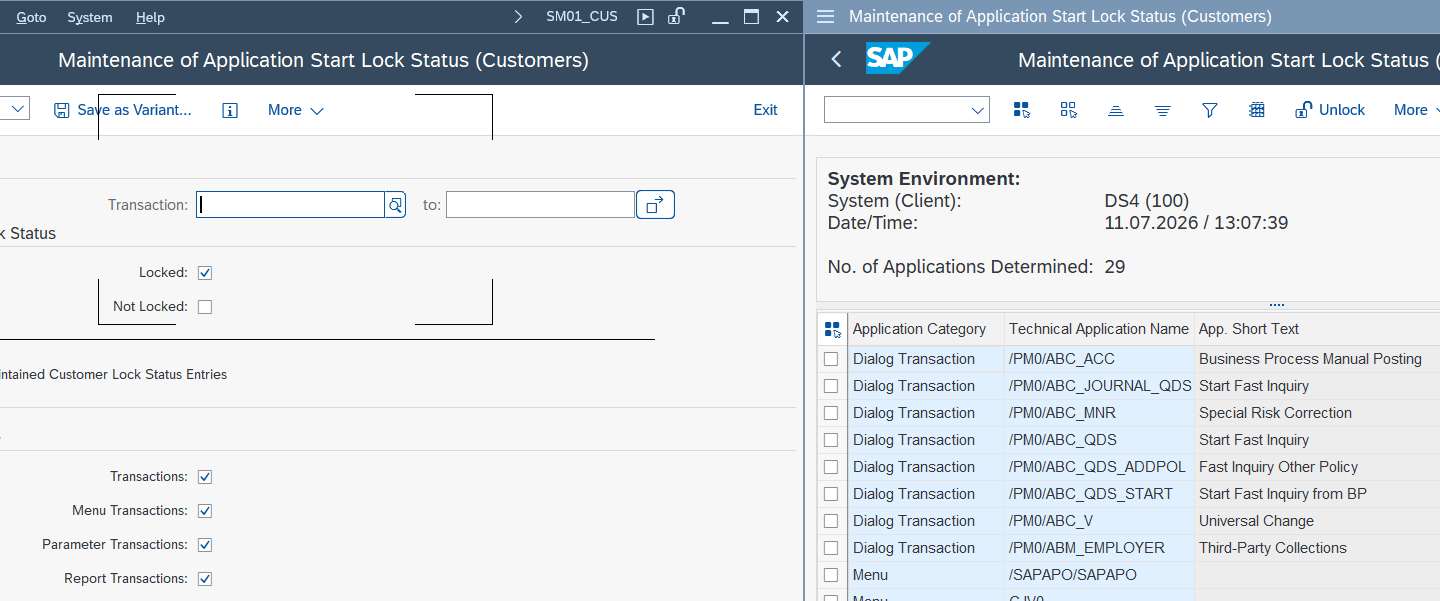

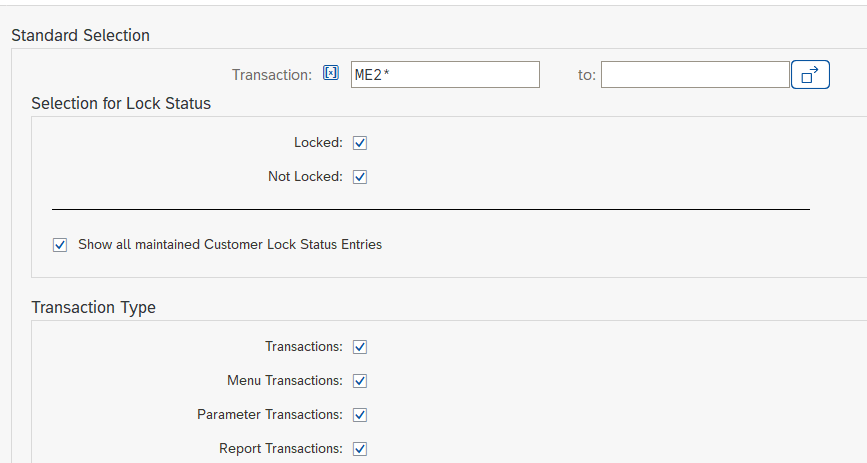
Enter SM01_CUS and the name of the tcode you want to lock. Make sure to enter at least the first few characters of the tcode followed by an asterisk (*). Check all boxes and run. In this example, we will lock ME21N tcode to prevent the creation of purchase orders.

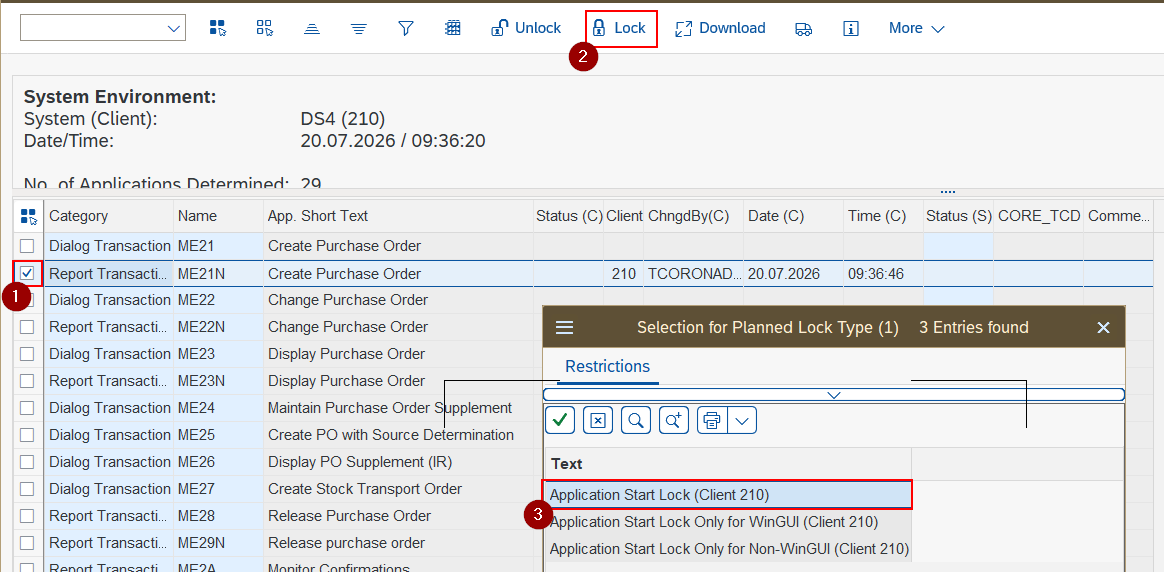
You will see a list of tcodes that meet the selection criteria. Then, lock the desired tcode by following the steps in the image. In client 000 you can decide if the lock is valid in client 000 and any other client. In other clients the lock is only valid in this client.

After this, the system will display an error message each time an attempt is made to access the tcode ME21N. Finally, to re-enable the tcode, simply unlock it by pressing the "Unlock" button.

Since tcode SM01 is obsolete, we use tcodes SM01_DEV and SM01_CUS. The first one is typically used by SAP and partners (software vendors), the second one by customers. Continue reading to learn how to use it.
© 2024. All rights reserved. Functitech